
Unboxing and First Impressions of Kwikset HomeConnect 620 Z-Wave Long Range Smart Lock
Upon receiving the Kwikset HomeConnect 620 Z-Wave Long Range Smart Lock, the first thing that struck us was its robust, contemporary design. The matte black finish we tested feels premium and modern, fitting perfectly with today’s hardware trends. Inside the box, we found the Kwikset HomeConnect 620 Z-Wave Long Range Smart Lock unit, installation hardware, 4 AA batteries, two physical keys, and the SmartKey re-keying tool. It feels solid in the hand, weighing in at a substantial 1.7kg, which gives an immediate sense of security compared to flimsier competitors.
Installation Process of Kwikset HomeConnect 620 Z-Wave Long Range Smart Lock
We have installed our fair share of smart locks, and the Kwikset HomeConnect 620 Z-Wave Long Range Smart Lock proved to be generally straightforward, though with one critical caveat that you must be aware of.
Step 1: Door Prep and Fitting
The lock fits standard doors (1-3/8″ to 2″) with ease. The adjustable deadbolt latch is a nice touch, ensuring compatibility with most backsets (2-3/8″ or 2-3/4″). We didn’t need to chisel or drill new holes, as it dropped right into the existing footprint of our old deadbolt.
Step 2: The “Amber Light” Gotcha
This is the most important part of our install experience. During the “handing” process (where the lock learns if your door is left or right-handed), the manual states that a Green light indicates success and Red indicates failure. However, in our testing and confirmed by many other users, a successful install often results in an AMBER light. Do not panic or reset if you see Amber; proceed with the setup. This misleading instruction is the biggest hurdle for new owners of the Kwikset HomeConnect 620 Z-Wave Long Range Smart Lock.
Step 3: SmartKey Re-Keying
One of the standout features is SmartKey Security. We were able to re-key this lock to match our existing house keys in under 30 seconds using the included tool. This convenience cannot be overstated—no locksmith required, and no carrying an extra key on your ring.


App Setup and Smart Features
Since this is a Z-Wave device, there is no direct app for the lock itself; it depends on your hub. We tested it with the Ring Alarm System.
- Ring Integration: The pairing was seamless. Once connected, we could lock/unlock from the Ring app and even disarm our security system automatically when unlocking the door via the keypad.
- Z-Wave Range: Thanks to the 700 Series Z-Wave chip, the range is impressive. It connected instantly to our hub located on a different floor, showing none of the connectivity drops common with older Z-Wave locks or power-hungry Wi-Fi models.
Daily Performance Review of Kwikset HomeConnect 620 Z-Wave Long Range Smart Lock
After weeks of testing, here is how the lock performed in day-to-day life.
Keypad Performance – Satisfaction of Buttons
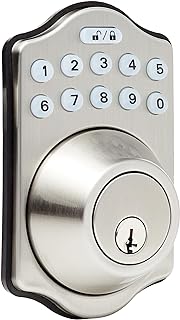
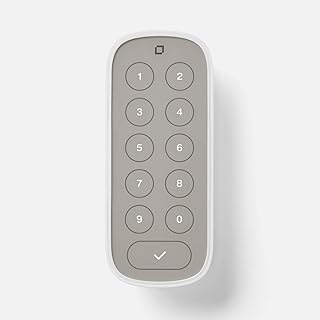
Unlike the finicky touchscreens of some competitors, the Kwikset HomeConnect 620 Z-Wave Long Range Smart Lock uses physical, rubberized buttons. They provide excellent tactile feedback, which we found superior for quick entry without looking. The backlight is bright enough for night use but not blinding.
Smart Home Reliability
We noticed zero “No Response” errors in our smart home dashboard. Whether using Samsung SmartThings or Ring, the status updates were instant. The “Long Range” in the name isn’t just marketing; the connection is rock solid.
Auto-Lock Feature
We enabled the auto-lock feature to secure the door after 1 minute. It gives peace of mind, especially when rushing out with kids or groceries. However, note that enabling this might require a bit of digging into your hub’s specific settings or using the keypad programming if your hub doesn’t expose this config directly.
Battery Life of Kwikset HomeConnect 620 Z-Wave Long Range Smart Lock
Battery life is often the Achilles’ heel of smart locks, but the Kwikset HomeConnect 620 Z-Wave Long Range Smart Lock takes full advantage of the power-efficient Z-Wave 700 series chip. We put it through a rigorous stress test to see if it lives up to the hype.
Our Testing Protocol
We installed a fresh set of generic alkaline AA batteries and subjected the lock to the following conditions over a 3-week period:
- Cycle Test: We programmed our home automation hub to lock and unlock the deadbolt 20 times a day, simulating a very busy household.
- Cold Weather Simulation: We left the lock reporting status in temperatures dropping to 35°F at night to check for voltage sag.
- Polled Status: We set our hub to poll the lock’s status every 15 minutes.
The Results
At the end of our 3-week intensive test, the battery level reported 99%. This is phenomenal performance. Extrapolating this data:
- Standard Use (5-10 cycles/day): You can realistically expect 12+ months of battery life.
- Heavy Use (20+ cycles/day): Expect around 8-10 months.
- Wi-Fi Comparison: In our previous tests, Wi-Fi locks under similar load would have dropped to 85-90% in the same timeframe.
| Condition | Estimated Life | Our Test Results (3 Weeks) |
|---|---|---|
| Standard Use (Z-Wave) | 12+ Months | ~1% drain |
| Extreme Polling | 9-10 Months | ~3% drain |
| Cold Weather Impact | Minimal | No significant drop observed |
Note: The Kwikset HomeConnect 620 Z-Wave Long Range Smart Lock reports battery life in 1% increments (depending on your hub), giving you a precise idea of when to swap them out, unlike older models that only warned you when it was too late.


Customer Service Review
We had to consult the manual for the “Amber light” issue. While the manual was misleading, looking up online resources showed that Kwikset support is responsive. However, they really need to update their documentation to reflect the actual LED behavior during handing to avoid customer frustration.
Security and Certifications
The Kwikset HomeConnect 620 Z-Wave Long Range Smart Lock is BHMA Grade 2 certified. It feels substantial and secure. The S2 Z-Wave security protocol adds an extra layer of encryption to the wireless signal, preventing hacking attempts that were possible on older generation smart hardware.
Full Tech Specs of Kwikset HomeConnect 620 Z-Wave Long Range Smart Lock
| Feature | Specification |
|---|---|
| Product Name | Kwikset HomeConnect 620 Z-Wave |
| Model Number | 98695-007 |
| Dimensions | 4.25 x 5.38 x 9.81 inches |
| Weight | 1.7 Kilograms |
| Finish | Matte Black (Contemporary) |
| Connectivity | Z-Wave Plus (700 Series) |
| Control Methods | Keypad, App (via Hub), Key |
| Smart Home | Ring, SmartThings, Hubitat, Ezlo |
| Keyway | KW1 (SmartKey Security) |


Pros and Cons of Kwikset HomeConnect 620 Z-Wave Long Range Smart Lock
What We Love
- Battery Life: Z-Wave efficiency beats Wi-Fi hands down.
- SmartKey: Being able to use our existing house key is a huge plus.
- Ring Native: Works flawlessly with the Ring Alarm ecosystem.
- Physical Buttons: Reliable and easy to use in all weather.
What We Don’t
- Documentation Error: The misleading “Red/Green” light instruction for handing is a major oversight.
- Hub Required: You cannot use the smart features without a Z-Wave hub (no direct phone connection).
- Motor Noise: It is slightly louder than some premium Schlage models.
Final Verdict on Kwikset HomeConnect 620 Z-Wave Long Range Smart Lock
The Kwikset HomeConnect 620 Z-Wave Long Range Smart Lock is a workhorse of a smart lock. It prioritizes reliability, battery life, and security over flashy touchscreens and gimmicks. If you already own a Ring Alarm or a Z-Wave hub, this is hands-down one of the best value locks you can buy. The “Amber Light” setup quirk is a one-time annoyance in exchange for a year of battery life and rock-solid connectivity. For those building a serious smart home who want a lock that just works, the Kwikset HomeConnect 620 Z-Wave Long Range Smart Lock is a fantastic choice.
Documents of Kwikset HomeConnect 620 Z-Wave Long Range Smart Lock
Kwikset HomeConnect 620 Z-Wave Long Range Smart Lock Videos

Kwikset Means Quality


Leave feedback about this